
Introducing MarkyMark: a lightweight Markdown viewer for macOS
Markdown is great for writing, but sometimes you just want to open a file and read it properly. Nicely styled headings, readable code blocks, and tables that look like tables—all without opening a full editor.
That’s why I built MarkyMark, a small, open-source Markdown viewer developed initially for macOS only. It’s designed to make viewing Markdown straightforward: open a file, enjoy a clean reading experience, and export a PDF when you need to share it.
Your Markdown, nicely presented
Drag a Markdown file into the window, open it from Finder, or press ⌘O. MarkyMark renders headings, lists, tables, blockquotes, code blocks, links, and images in a carefully styled reading view.
It follows your Mac’s light or dark appearance and includes the JetBrains Mono Nerd Font, with green and cyan accents and crisp code panels. Everything is bundled, so there’s no extra font installation.
Here it is in both moods, showing the same Markdown document. Click either screenshot for a full-size view.
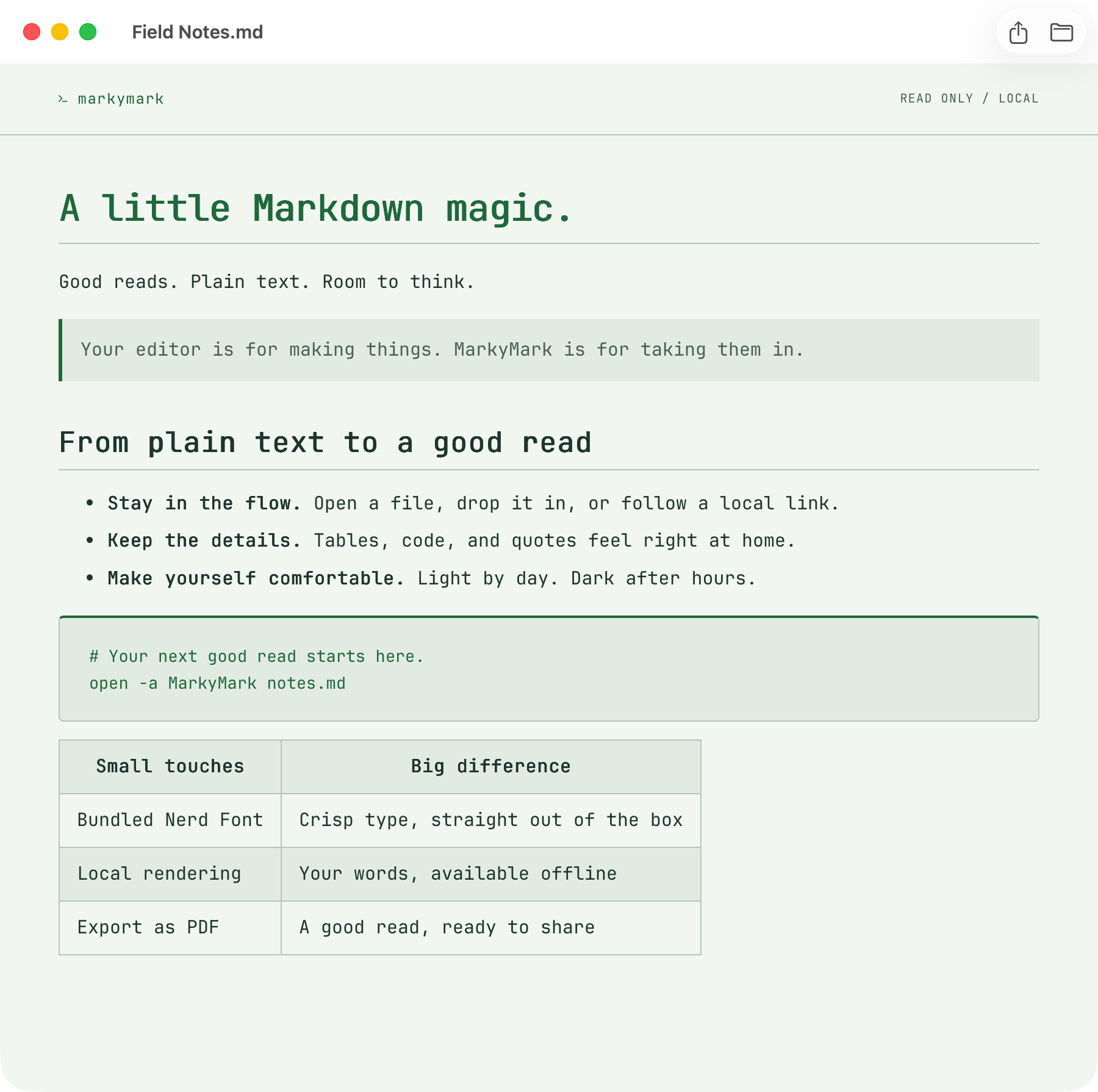
Light mode: a clean reading view for your Markdown files.
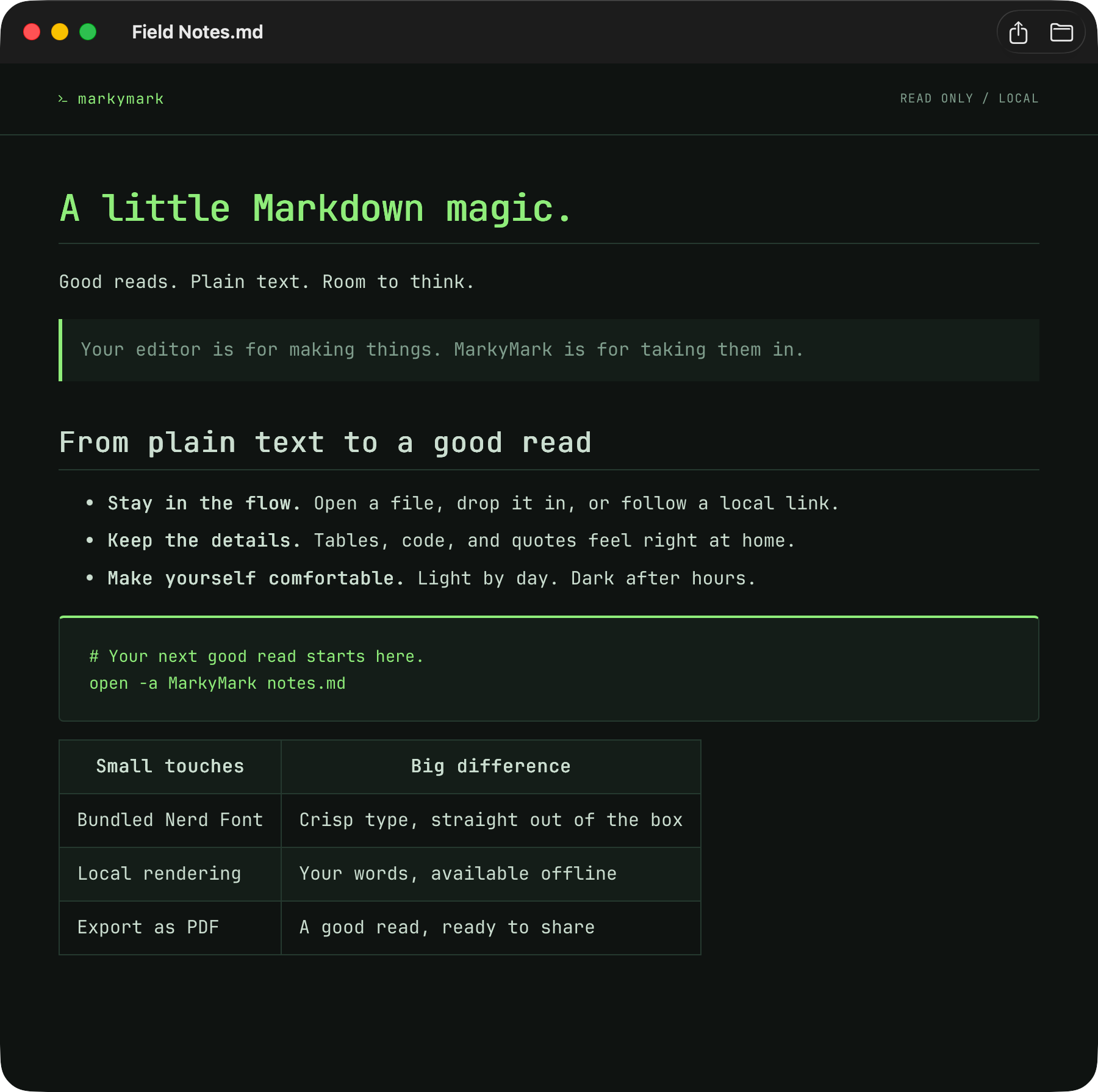
Dark mode: the same document with a terminal-inspired look.
MarkyMark is deliberately read-only. Keep writing in your favourite editor, then press ⌘R to refresh the view. It’s a lightweight reading companion that fits alongside the tools you already use.
From Markdown to PDF
When you want to share a document with someone who doesn’t use Markdown, MarkyMark has PDF export built in.
Press ⇧⌘E, choose File → Export as PDF, or click the export button. The PDF preserves the reader’s current light or dark appearance, bundled font, and layout at the window’s width.
The full document exports as one continuous PDF page—handy for digitally sharing notes, documentation, and other Markdown files while keeping their styling intact.
Local files, simple workflow
Markdown rendering works offline, with the parser and HTML sanitizer bundled into the app. Remote images need a connection.
Relative Markdown links open directly in MarkyMark, so you can move between linked documents without leaving the viewer. Web links open in your browser, and local images load from the document’s directory and its subdirectories.
You can also make MarkyMark your default app for .md and .markdown files in Finder. After that, a double-click is all it takes.
Built for the Mac, open source
MarkyMark uses SwiftUI for its native window and controls, with WebKit powering the reading view. It runs on macOS 13 and later and is released under the MIT licence.
To get started, you’ll currently need a Swift 5.9+ toolchain through Xcode or the Xcode Command Line Tools:
git clone https://github.com/pyrat/markymark.git
cd markymark
bash scripts/build-app.sh
open dist/MarkyMark.app
Then drag dist/MarkyMark.app into your Applications folder to keep it handy.
If you’ve wanted a simple way to read nicely styled Markdown on your Mac—and turn it into a PDF without a separate conversion workflow—give MarkyMark a try.
Feedback, issues, and contributions are welcome.